Open the software and connect the camera lens, then click play.
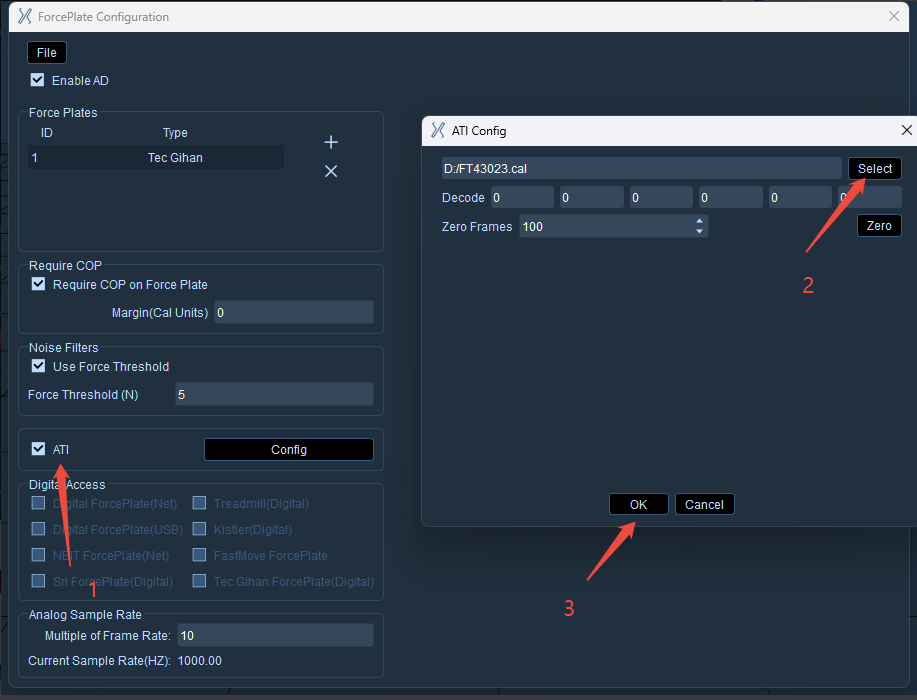
Click "Third-party Devices" → "Force Plate Configuration", check "ATI". In the pop-up window, select the calibration file provided by the manufacturer and click "OK".
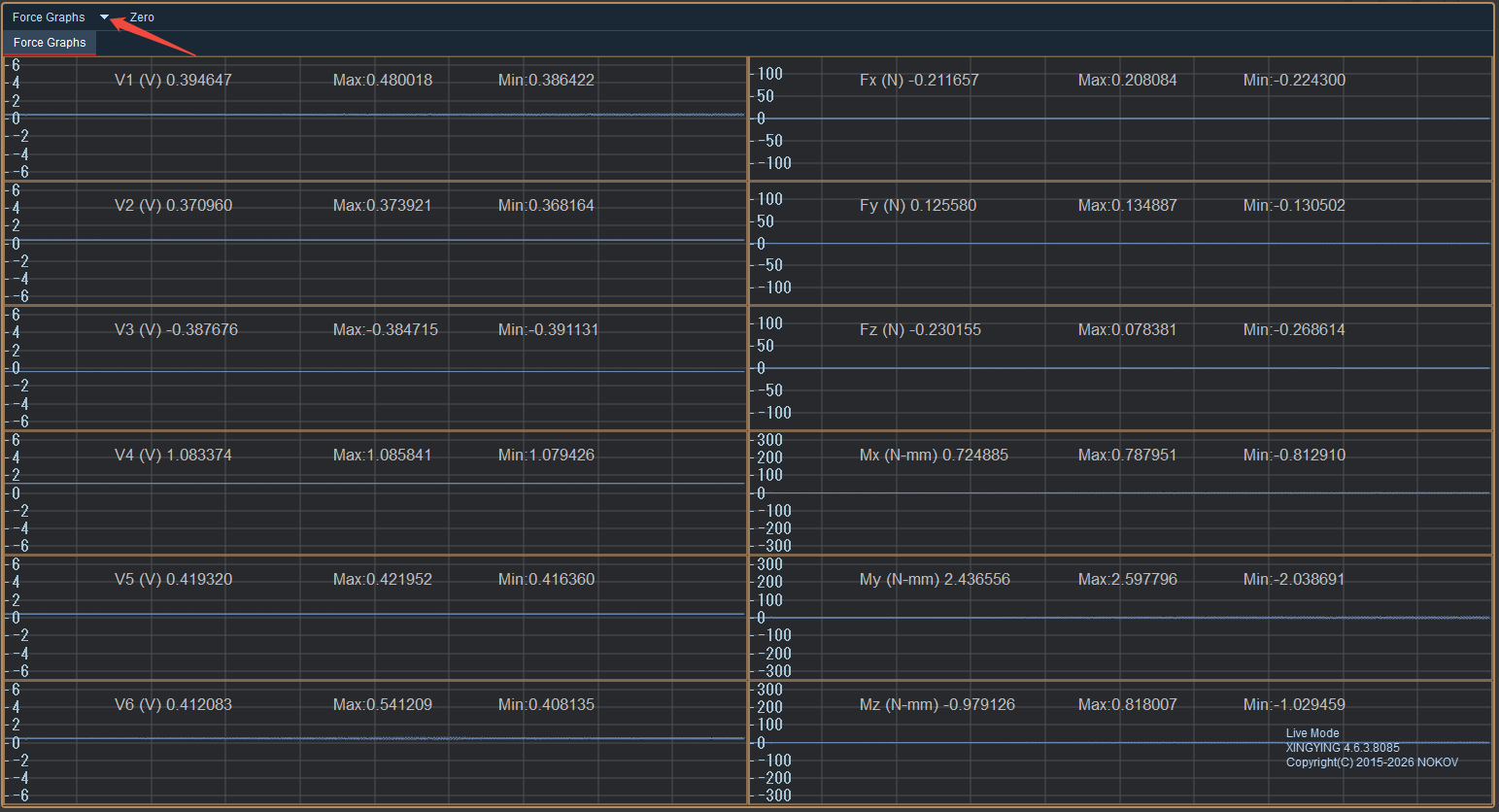
After switching to the Force Graphs view via the dropdown menu at the top of the 3D view, the left side of this view displays the raw voltage signals, while the right side shows the six-dimensional force data (Fx, Fy, Fz, Mx, My, Mz) after calibration conversion.