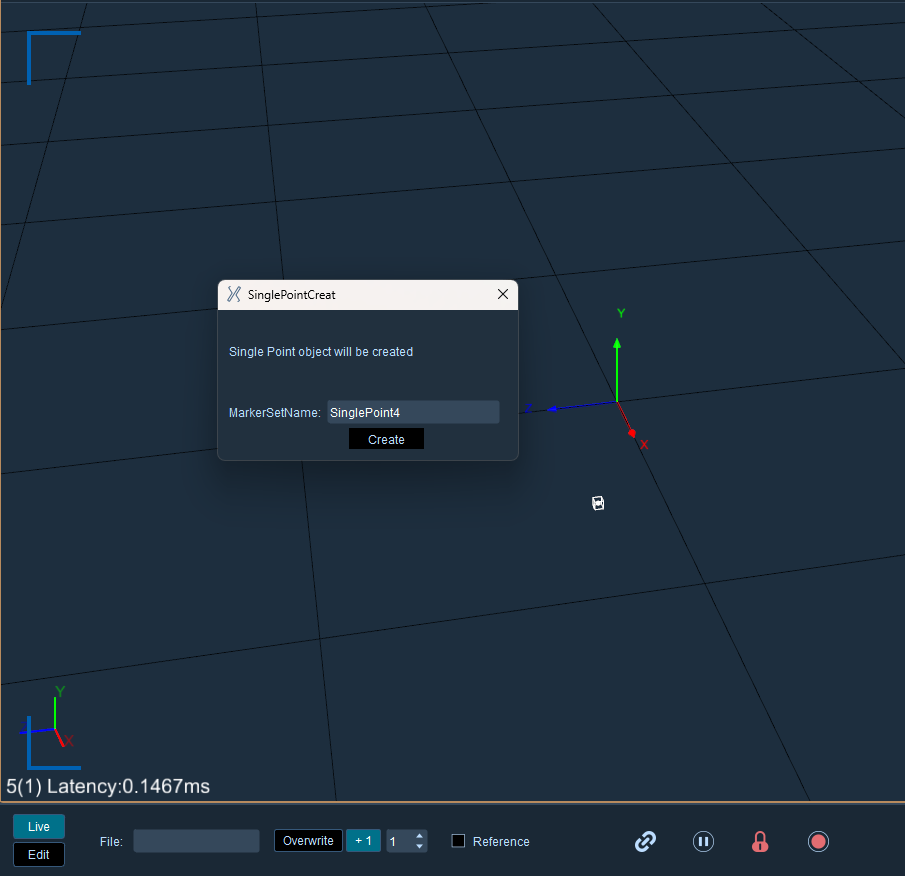
Freeze the current frame, select a single reflection point to be created in the 3D view, right-click the mouse and select "Create Single Point". You can customize the asset name in the pop-up creation window, and click Create after completing the settings.
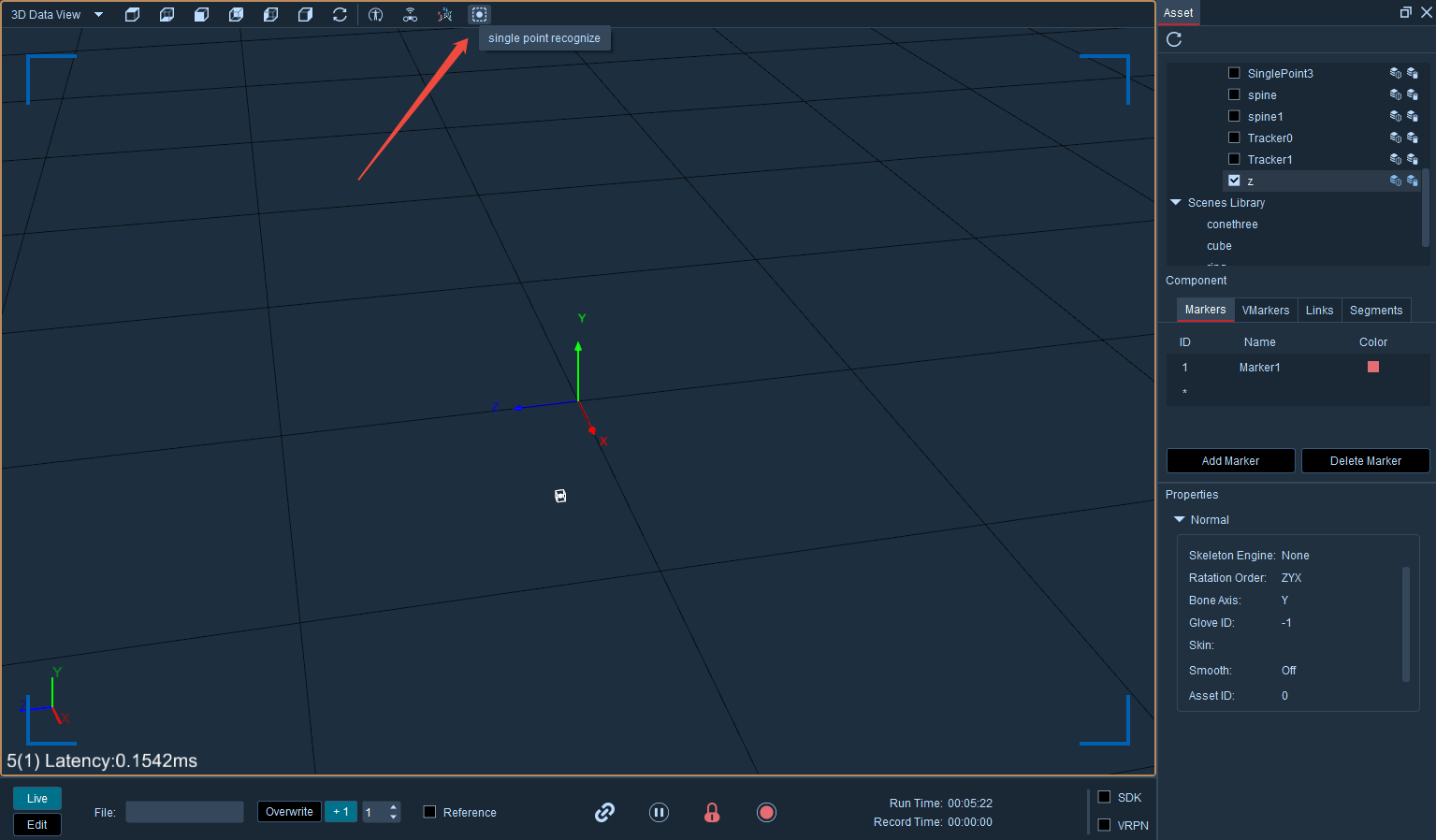
After the loss of a single rigid body, click single-point recognition in the frozen state to complete the white point recognition operation again.
Create single-point rigid body in post-processing
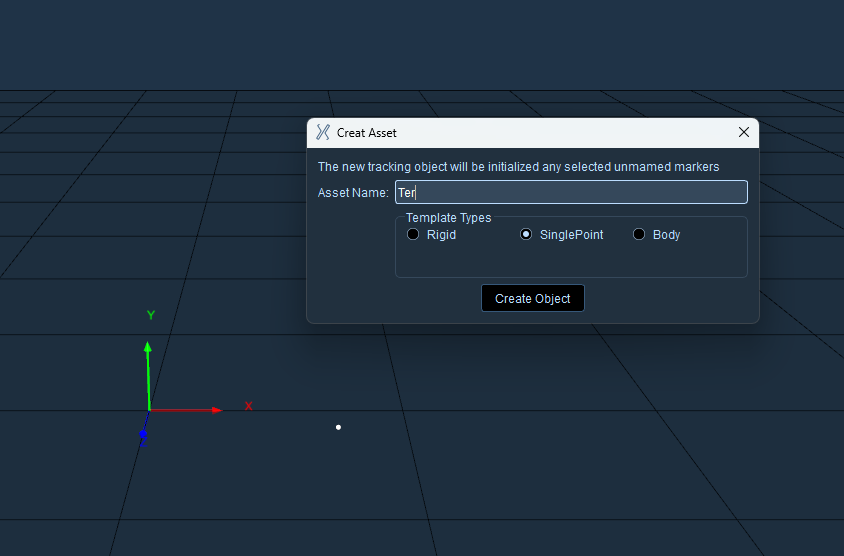
Complete the data recording of the measured object in real-time mode, switch to post-processing mode for loading, click the create button in the asset panel, fill in the asset name in the pop-up asset creation window, select Single Point as the type, and finally click Create to finish.
Create new marker points, click quick recognition, select a single reflective point to be created, click tracking recognition, save assets and retain data after the operation is completed.