7. BVH Files
- BVH files record data related to the human body, including capture data. You can export BVH files to view the data of the first frame of the human skeleton and each frame of the capture file.
- Load a set of human body data in Edit Mode, click File, and select Export BVH File. The system will prompt that the export was successful. Click OK, and the system will save the BVH file to the current working directory by default. The BVH naming convention is "capture file name - selected human body template name.bvh". BVH files can be opened in Excel mode.
- (Biped) BVH is a BVH file specifically designed for 3ds Max software.
- During the export of the BVH file, the original data will be interpolated and frame-sampled according to the target frame rate set by the user to generate animation data corresponding to the specified frame rate and complete the export; by default, the file is exported directly at the original frame rate.
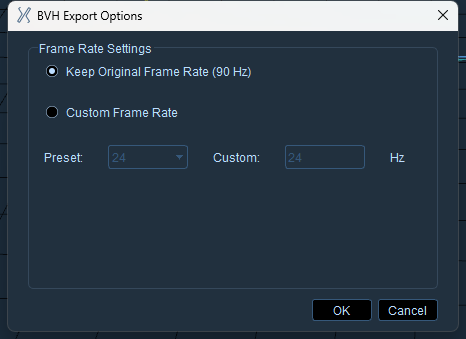
Note: The custom frame rate cannot exceed the original frame rate