Ensure the software is in playback mode, with the model standing in T-Pose, the coordinate system with the Y-axis pointing up, the model facing the positive Z-axis, and the arms parallel to the X-axis. Click Freeze, hold the Shift key, and drag the left mouse button to select the 41 unnamed points attached to the human in the 3D view. Confirm that the number in the parentheses at the bottom left corner of the 3D view is 41.
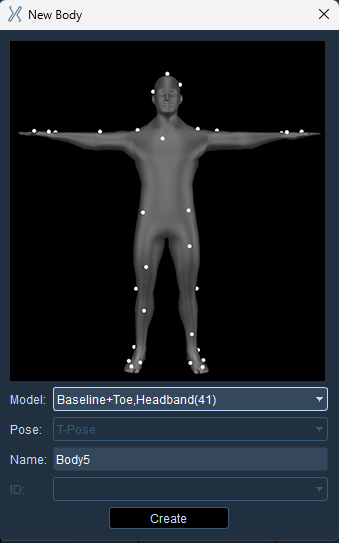
Right-click in the 3D interface and select ‘Create Human.’ In the ‘Create Human’ window, choose ‘Baseline+Toe, Headband(41)’ from the dropdown list. Hover the mouse cursor over the marker image and scroll the mouse wheel to view the marker positions from different angles. For detailed marker placement instructions, refer to ‘XIV. Human Template (9) 41-Point Human Marker Placement Instructions.’ After confirming that the actual marker placements match the marker image, click the ‘Create’ button to create the human model.
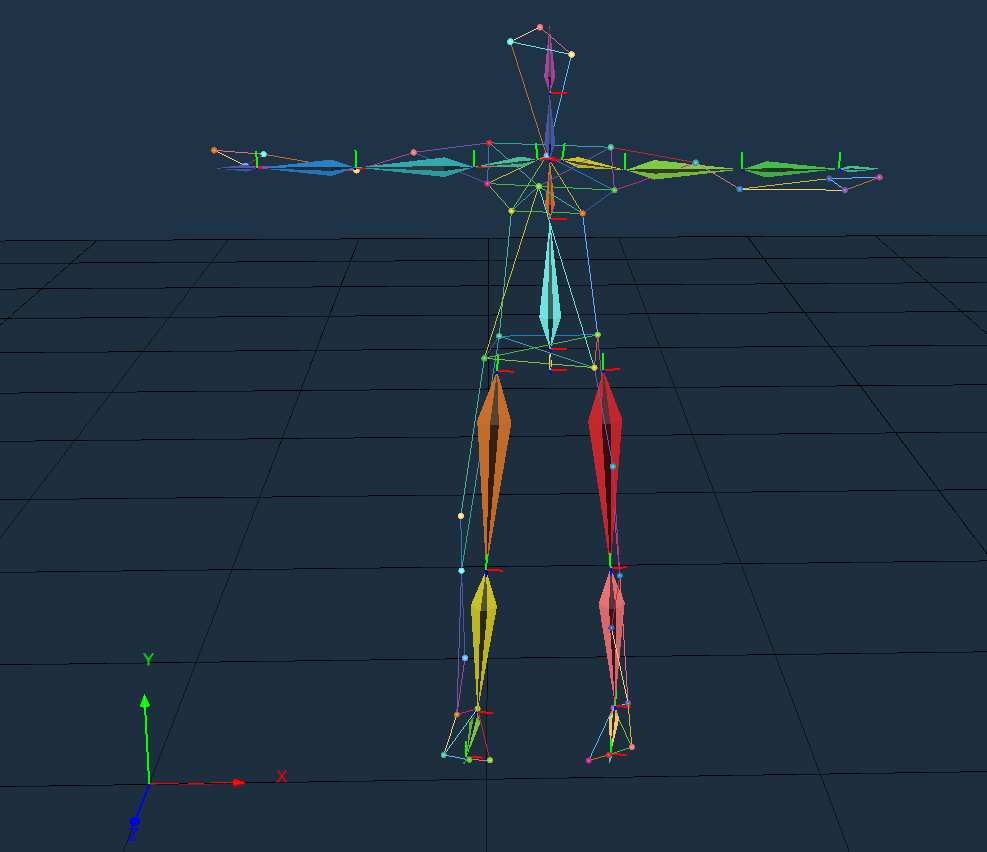
Unfreeze the 3D view. At this point, the model can move freely, and you will see the 41-point human model follow the movements of the model in real-time.